Recurring
 How-To Video
Track every subscription and bill on iPhone

Recurring templates are a convenient way to automatically generate repeating expenses from existing or new entries.
To create a new recurring or repeating expense:
-
Create a new entry
- Fill in all the necessary details
- Tap on Repeat (towards end of the list)
- Fill in details for the recurring template
- Tap on Done to confirm
-
Long press on an existing entry
- Tap on Repeat
- Fill in details for the recurring template
- Tap on Done to confirm
Managing an existing template
Press and hold (long press) a Recurring card in the list for quick access to:
- Edit: change the template's title, amount, currency, category, account, and location, in addition to its repeat schedule.
- Create Entry: immediately generate a new entry from the template, without waiting for its next scheduled date.
- Delete: remove the template. This doesn't delete entries it already created.
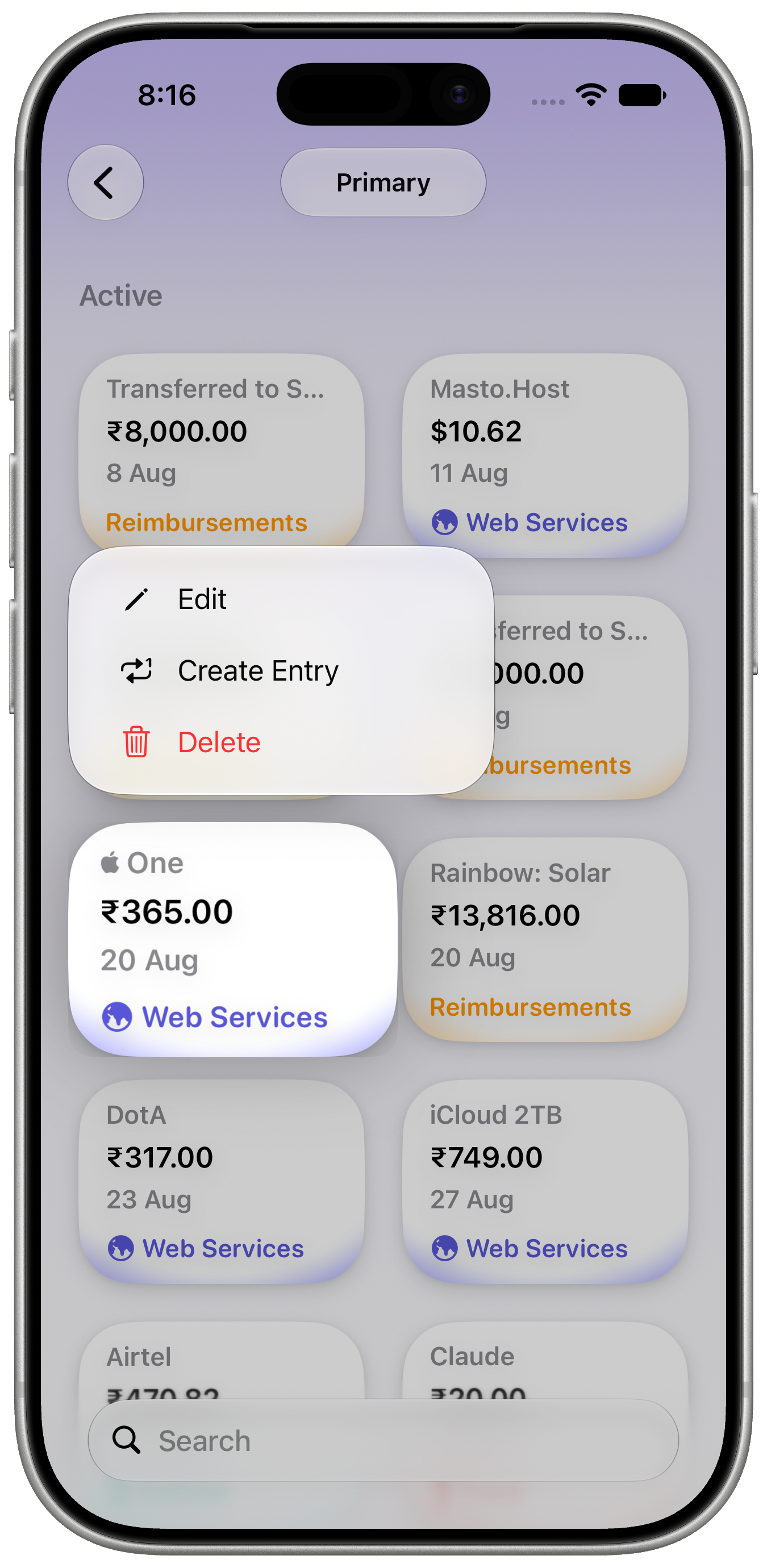
See Recurring Items for more on the detailed view.
Advantages
Recurring templates always use the latest currency exchange information for entries with currencies different from the ledger.
If you have an entry that repeats every week for $25.00, and your ledger's currency is set to EUR, it's actual represented value will depend on that day's exchange rate between the two currencies.
Limitations
- Recurring templates do not support account transfers or reimbursements.

